
Appearance
Main Window
Main Window
This is the main window of DOHSBase Compare. In this window you work with the program. In the figure you see the main window in the Search & Find Mode. On the far right there is the button (Change Mode) to switch between the Search & Find Mode and the Compare Mode. The Search & Find Mode is the default setting.
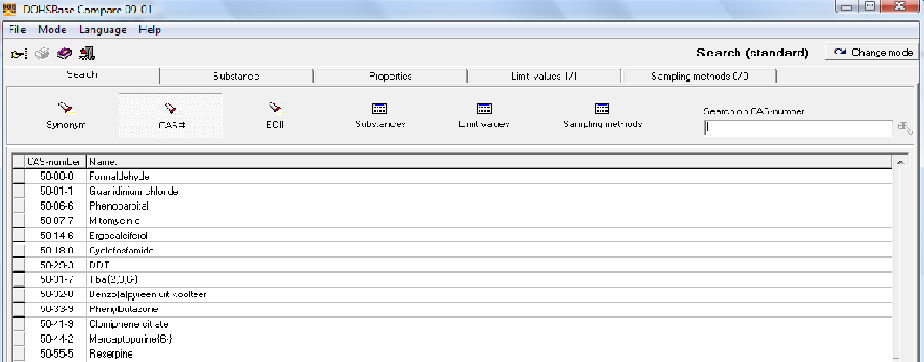
All of the features DOHSBase Compare can be accessed through the Main menu. Below the main menu is the Button Bar. On the next rule you see the Tabs Section. In the Tab "Search" there are also Buttons. Their use will be explained at the "Search" Tab.
If you want tot start right away searching the database but you don't know how to begin, use this link: how do I find and toxic substance.?