Appearance
Tab Select
Tab Select
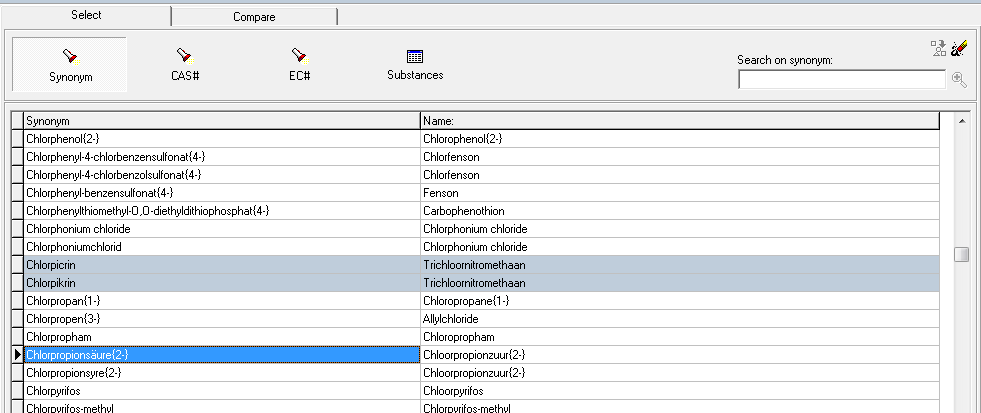
In the frame of this tab you see a list of substances, ordered in one the following search possibilities. Default is the list on base of names and synonyms. Switching between the search possiblities is possible by clicking on the desired button.
If you double-click (in all search possibilities) anywhere in the list, on the selected datafield (name, CAS-number, melting point f.i.) the color of this datafield changes to blue, and on the left-side, next to the substance name a arrow is shown: the subtance is selected. You can see the available information of this substance in the other tabs. All the synonyms of the substance are selected in the same instance (this is visible when you select the substance in de database (using the Substances option).
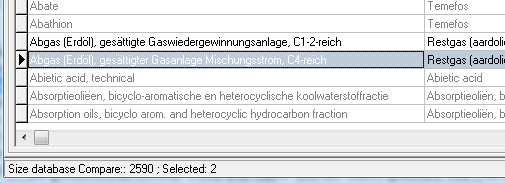
Only substances that comply with the inclusion criteria for Compare (i.e. classified in Hazard Class 1 or higher in TRGS 440) can be selected. Non-selectable substances are visible, but shaded out ('greyed').
It is possible to toggle between the 4 search possiblilties (Synonyms, CAS#, EC# and Substances). The already selected substances remain.
You need to select a minimum of 2 substances to make a Compare possible. To Compare, just click on the Compare Tab.
If you only select 1 substance and then click on the Compare Tab an error message will pop up.
With the cursors of your keyboard you can scroll up and down through the list of substances.
On the right side of this tab a text box is presented ("Search on..."). Type in the desired first character and the cursor moves to the first substance that complies with this start character. Refine your search by adding more characters to the text box. Clicking on the magnifying glass, on the right side of the text box, gives a list of all the substances that comply with the search parameter (filter on basis of the search parameter). Clicking again ("deselecting" this button) on the magnifying glass returns to the previous situation.
The inputfield to perform a detailed search has 2 additional buttons:
- left: Select all: this button is only active after you have made a search. It selects all substances in the search, with a maximum of 30.
- right: de-select (erase) all selected substances (this button is active after selecting one or more substances).

On the Status Bar (below) of DOHSBase Compare the number of selected subtances is presented (with the number of selectable substances).