Appearance
Check the ECHA C&L Notification
Check the ECHA C&L Notification
In the program, the harmonized classification and labeling data are displayed (hazard classes with category, pictograms, (additional) hazard statement codes ((EU) H codes), specific concentration limits and M-factors). For substances with only a notified clasiffication and labelling, this information is added on projectbasis. For adding selected notified C&L we use the schedule at the end of this Help-item.
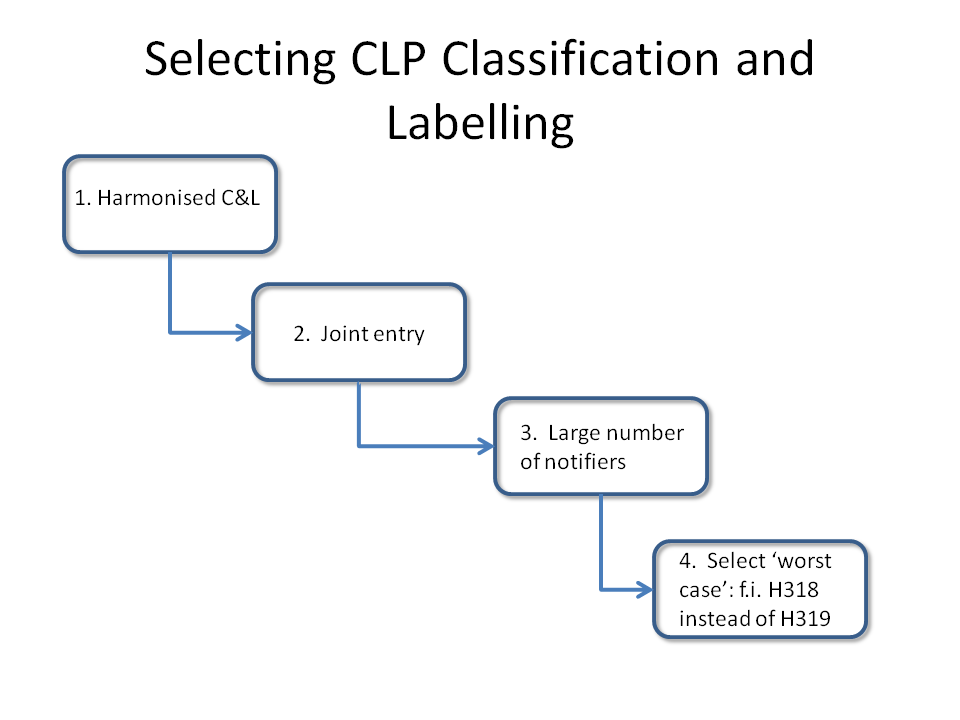
The button "Check the ECHA C&L Notification" activates a hyperlink directly to the C&L Inventory of ECHA. The current notified (and if present also harmonized) classification and labeling is given for the substance. Usually several notified classifications are shown. The user can then make the selection with, for example, the above-mentioned scheme.

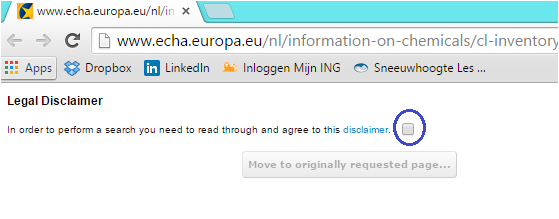
NOTE: It is possible that the hyperlink does not directly produce the desired result, but you land on a page with a disclaimer from ECHA. Check the box next to "disclaimer (blue outlines in the image below) and change the URL with function key F5. Then the webpage with the classification and labeling information of the substance appears.
Below a schedule is given to derive self the notified CLP Classification and Labelling of a substance. Note: DOHSBase takes no responsibility for the choices made by the user.